

Your agent writes the code. Mable makes the assets.
macOS · Linux · Node 18+
Install the mable CLI by running `curl -fsSL https://mable-dev-service.mable.gg/cli/install.sh | sh`. Then run `mable login` yourself (use `~/.local/bin/mable` if `mable` isn't found yet): it opens Mable in my browser so I can sign in and approve, then finishes on its own. Never ask me for a key.Paste it into Claude Code, Codex, or Cursor. Your agent installs mable and opens your browser to sign in.
No terminal? Use the same tools in your browser
Works with
- Claude Code
- Codex
- Cursor
- any agent that runs commands
Same game. Same agent.
Without mable CLIWith mable CLI
ctx.fillRect(x, y, 32, 32)mable gen sprite --image hero.png --motion "runs right" --state runOne sentence in. Files out.
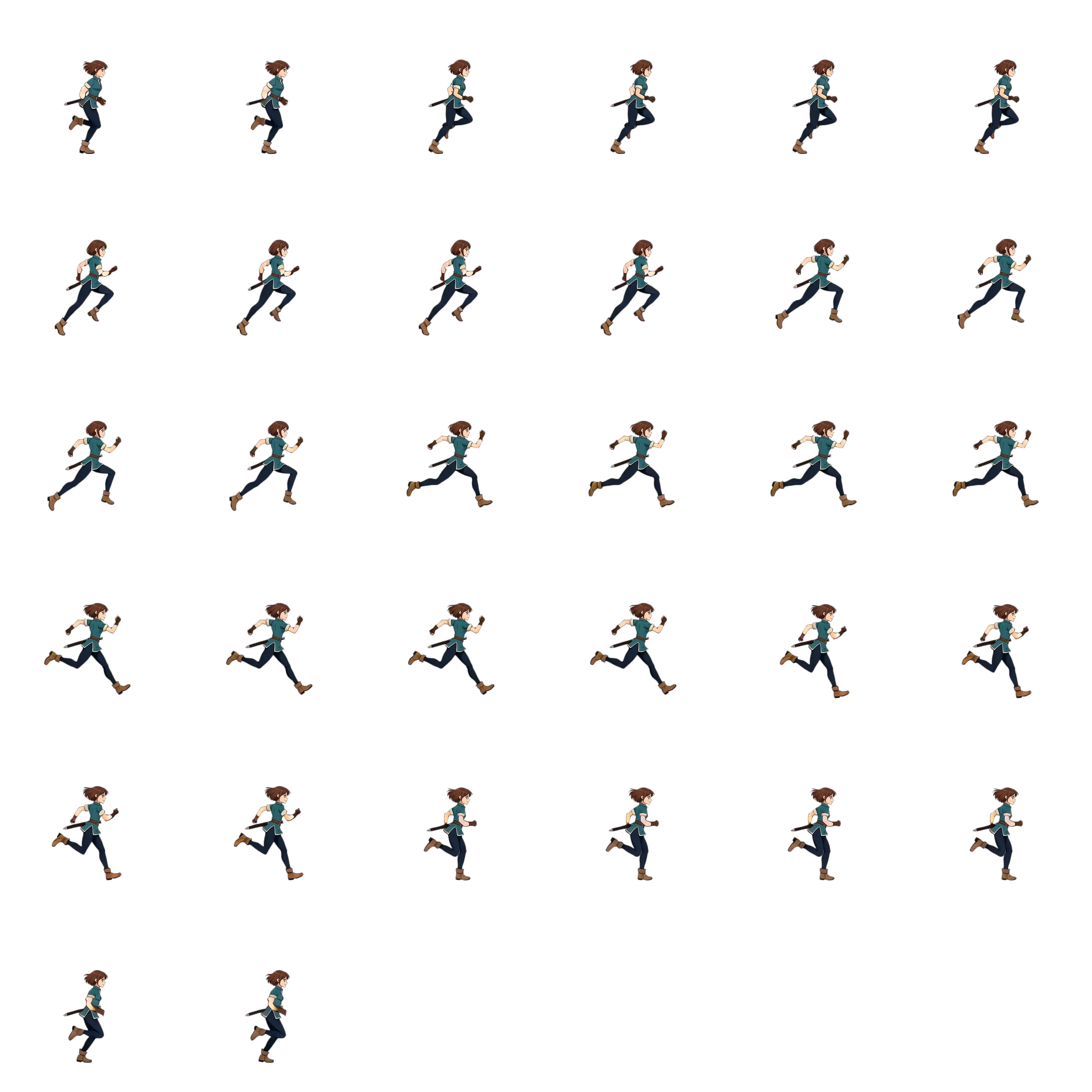
> Give the hero a run cycle, make the chest open, and add a coin sound and a level loop.
⏺ mable gen sprite --image hero.png --motion "An anime adventurer runs to the right with her sword held steady." --state run✓ assets/sprites/hero-run.webp✓ assets/sprites/hero-run.atlas.json⏺ mable gen sprite --image chest.png --motion "A fantasy treasure chest opens to reveal gold and gems inside." --state open✓ assets/sprites/chest-open.webp✓ assets/sprites/chest-open.atlas.json⏺ mable gen sfx --prompt "arcade coin pickup, two bright rising bell notes with a short sparkle tail, very short, clean" --category pickup --id coin✓ assets/sfx/coin.mp3⏺ mable gen music --prompt "upbeat chiptune platformer level theme, 8-bit square-wave lead arpeggios, bouncy bass, crisp drums, bright and adventurous, mid tempo, loops cleanly" --duration 30 --id level-loop✓ assets/music/level-loop.mp3
chest-open.webp- 0.29 s
coin.mp3 - 0:30
level-loop.mp3
Every asset a game needs.
Character Animation
mable gen spriteTry in browserVisual Effects
mable gen vfxTry in browserCoin pickup
Sound Effects
mable gen sfxTry in browserChiptune level loop · 30 s
Music
mable gen musicTry in browser“Fifty gold, and I'll make it sing.”
Voiceover
mable gen voiceTry in browser
One prompt. Every asset.
macOS · Linux · Node 18+
Install the mable CLI by running `curl -fsSL https://mable-dev-service.mable.gg/cli/install.sh | sh`. Then run `mable login` yourself (use `~/.local/bin/mable` if `mable` isn't found yet): it opens Mable in my browser so I can sign in and approve, then finishes on its own. Never ask me for a key.Paste it into Claude Code, Codex, or Cursor. Your agent installs mable and opens your browser to sign in.